Code ready prototypes made using Rive
Case Study Overview
Modern in-car infotainment systems have enhanced driving with features like navigation, media, and connectivity. But with this progress comes a key challenge driver distraction. Complex menus and inconsistent interfaces demand too much attention, risking safety. This case study explores a design solution for a smarter, safer dashboard that minimizes distraction and feels intuitive—even for first-time users.
Background
As cars become more digital, infotainment systems are packed with features—but often at the cost of usability. This case study explores the need for a safer, more intuitive driving experience through better dashboard design.
Problem Analysis
The problem at hand involves balancing functionality with safety in a highly dynamic environment. Drivers need systems that are:
Easy to interact with while on the road.
Consistent in design across different vehicles.
Capable of integrating advanced technologies, such as voice-controlled assistants, to minimize manual tasks.
Responsive enough to offer relevant information without overwhelming the driver.
Design Opportunity
As a product designer, the goal is to create a distraction-free dashboard that prioritizes safety and ease of use. Key focus areas include:
Voice-Controlled AI – Hands-free control for navigation, music, and calls.
Intuitive UI – Clean, minimal layout to reduce cognitive load.
Consistency – Unified experience across different car models.
Real-Time Feedback – Subtle alerts for traffic, route changes, and system warnings.
User Research
Target Audience: Car owners of varying age groups and technical proficiency.
Key Insights:
A large percentage of users (especially older drivers) find current in-car systems overwhelming and unintuitive.
Voice interaction is preferred by most users when driving, as it keeps their focus on the road.
Users often fail to make full use of the existing system features due to complexity and poor design.
Core Features
A.I.-Powered Navigation & Voice Control
Satellite Link
Tire Pressure Monitoring
A.I.-Powered Navigation & Voice Control
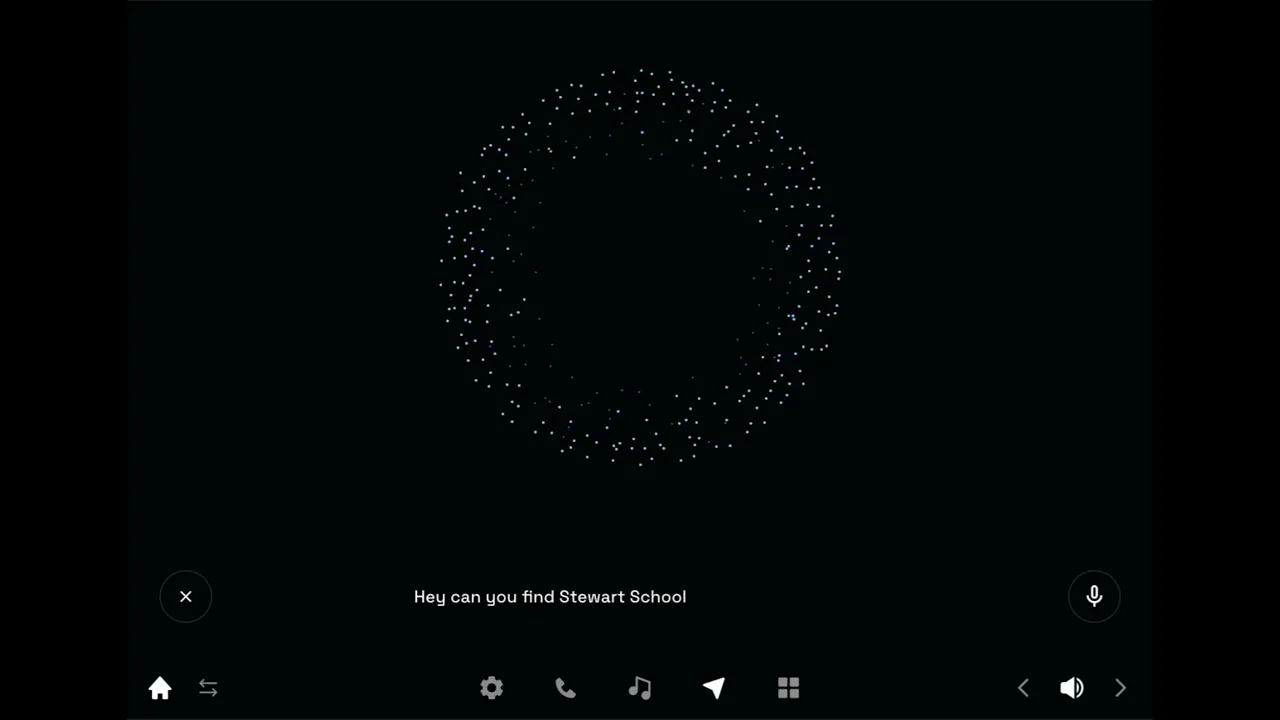
Allows drivers to control navigation, music, and calls using natural voice commands
Supports phrases like “Navigate to [destination]” or “Avoid traffic” for quick rerouting
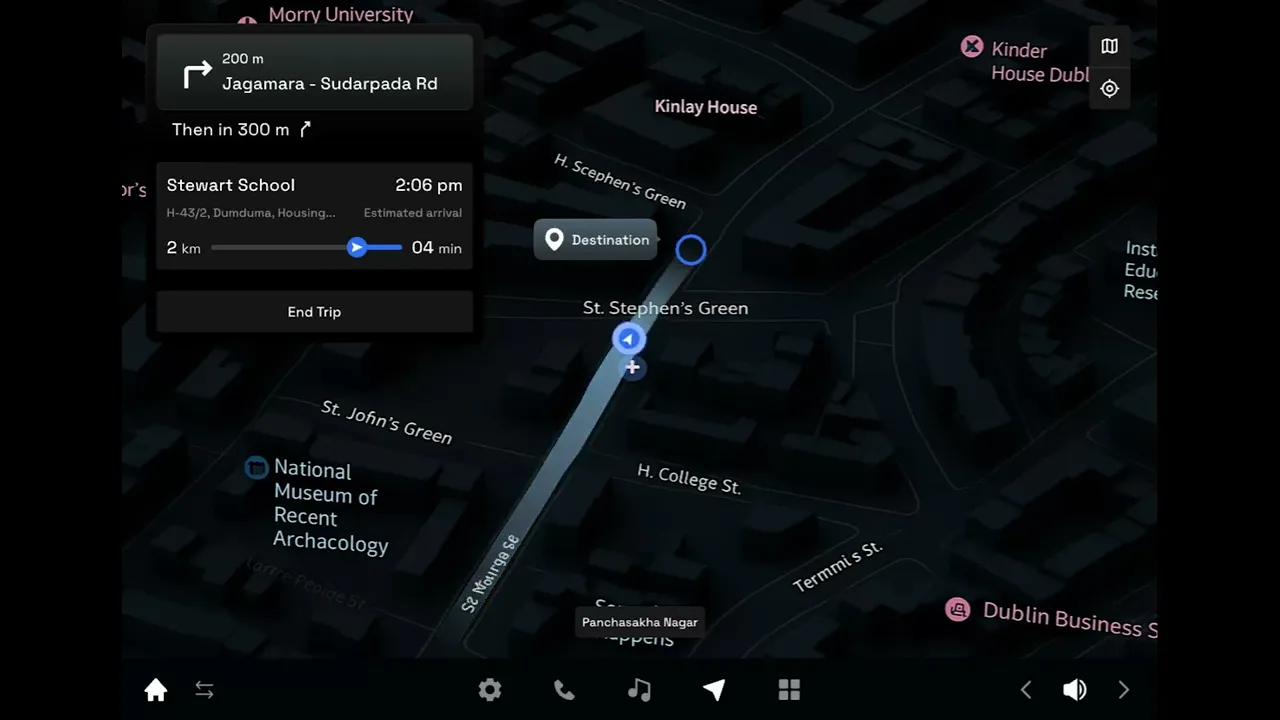
Real-time, A.I.-driven route suggestions based on traffic, roadblocks, or delays
A.I Assistance can be activated via a dedicated steering wheel button for minimal distraction
Enhances safety by keeping hands on the wheel and eyes on the road
rive Animation-1
rive Animation-2
rive Animation-3
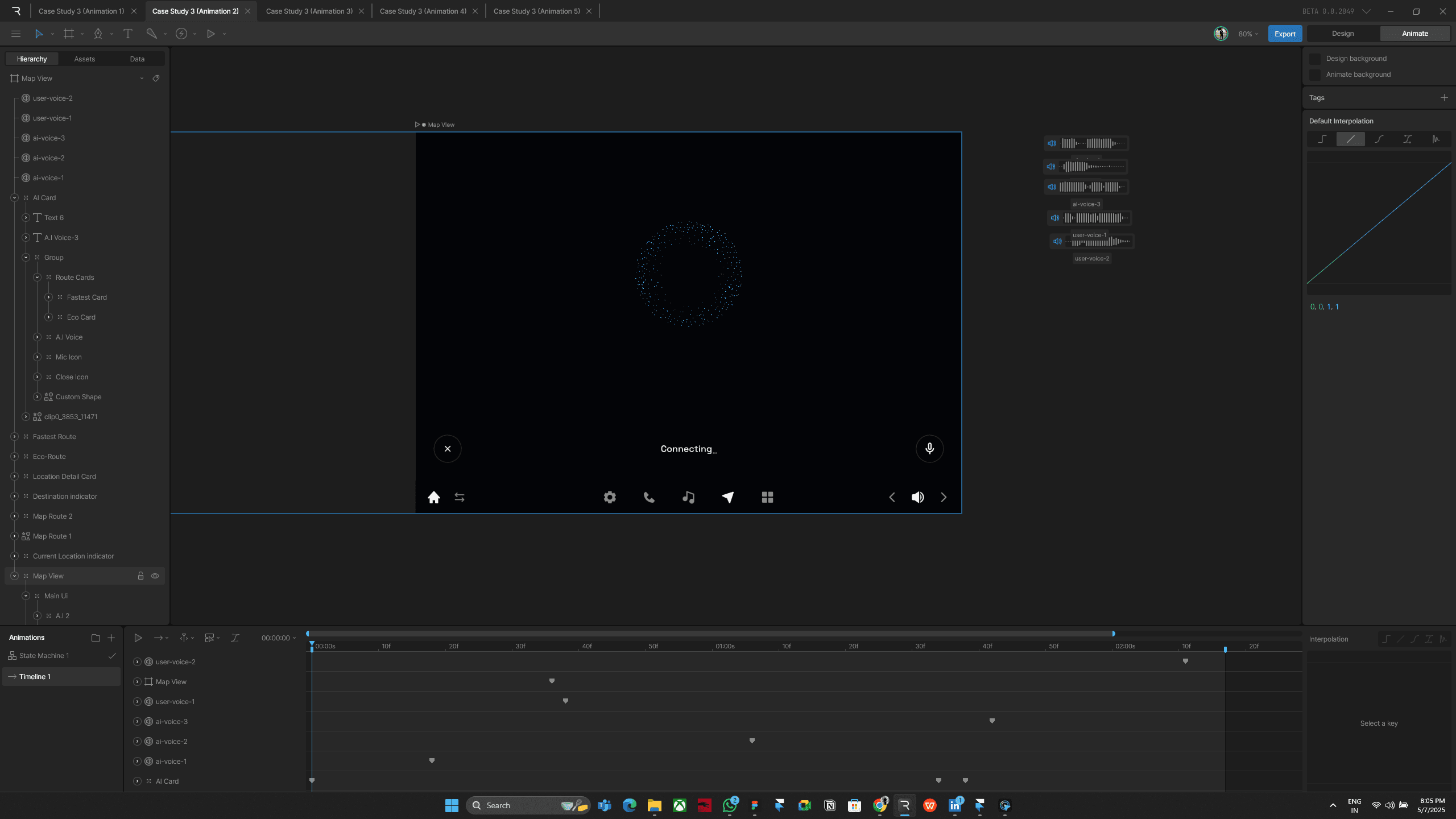
Steps I Fowolled to design this animation
Designed the UI in Figma and exported the Frame as SVG file Into rive animation

After importing the file, I started creating the animations in Rive.
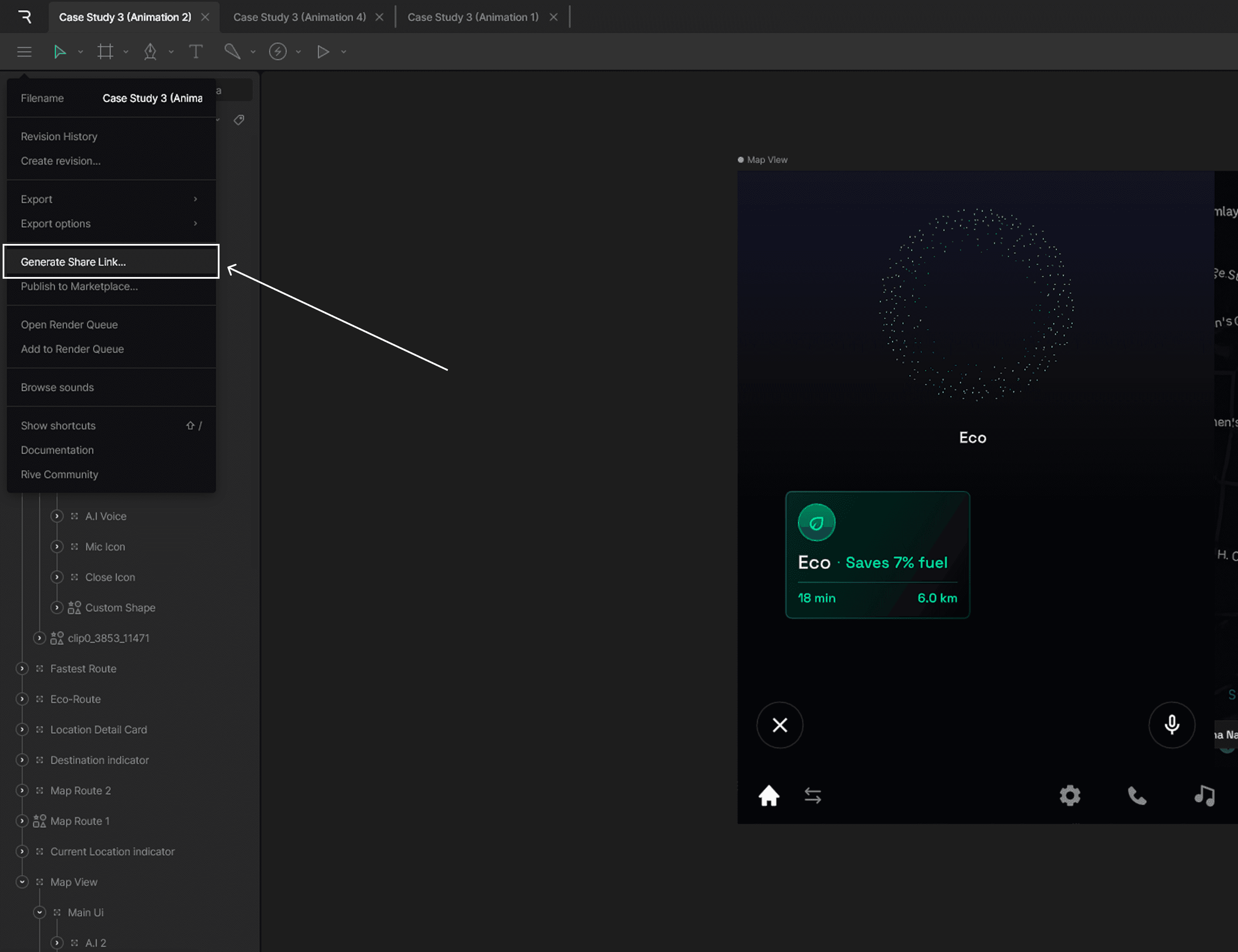
Go to the menu and select 'Generate Share Link'. Then click on 'Generate Link' and copy the Framer embed code

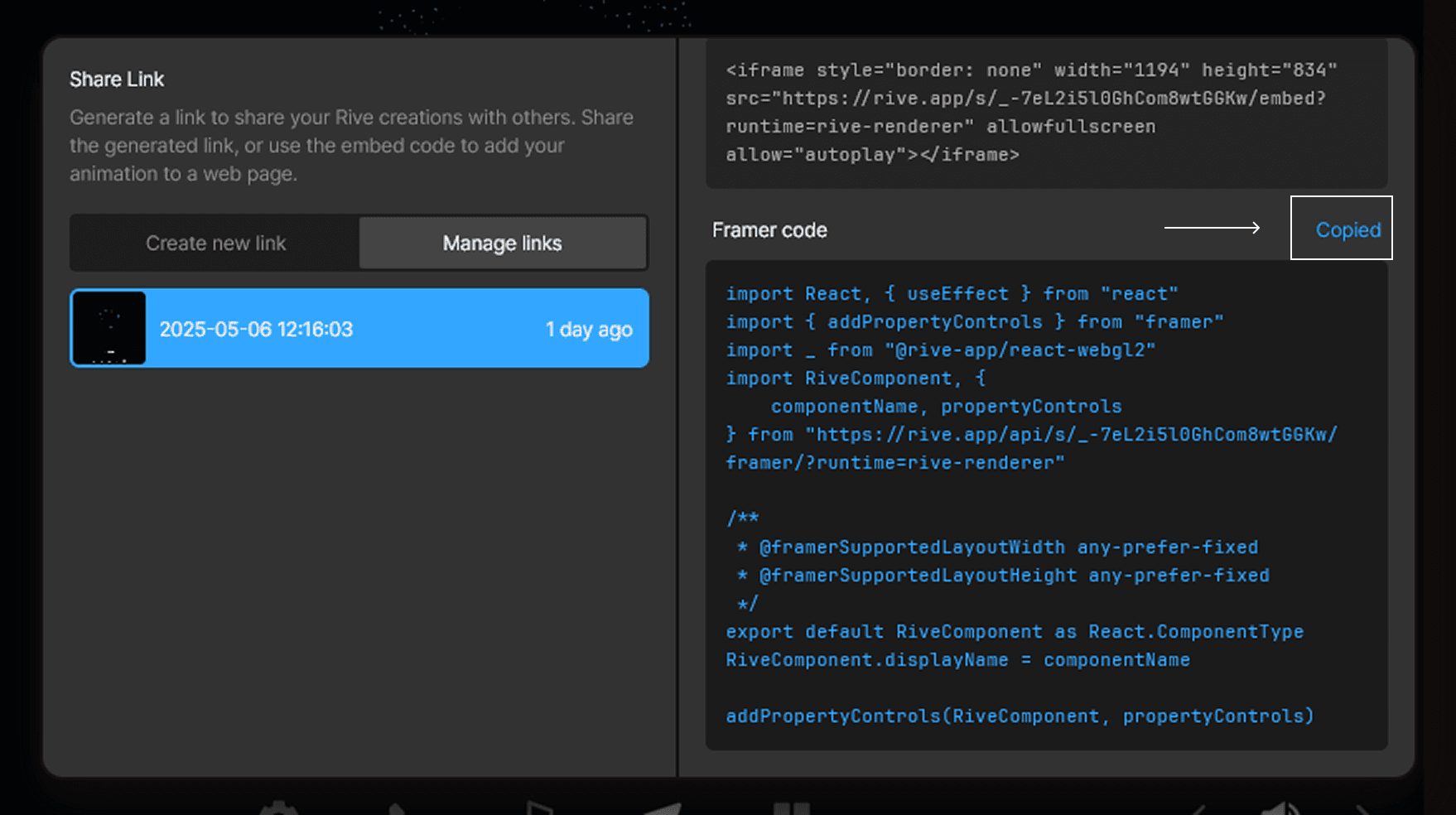
Then go to your portfolio’s asset panel, click on the 'Add Code' icon, create a new code file, and give it a name.

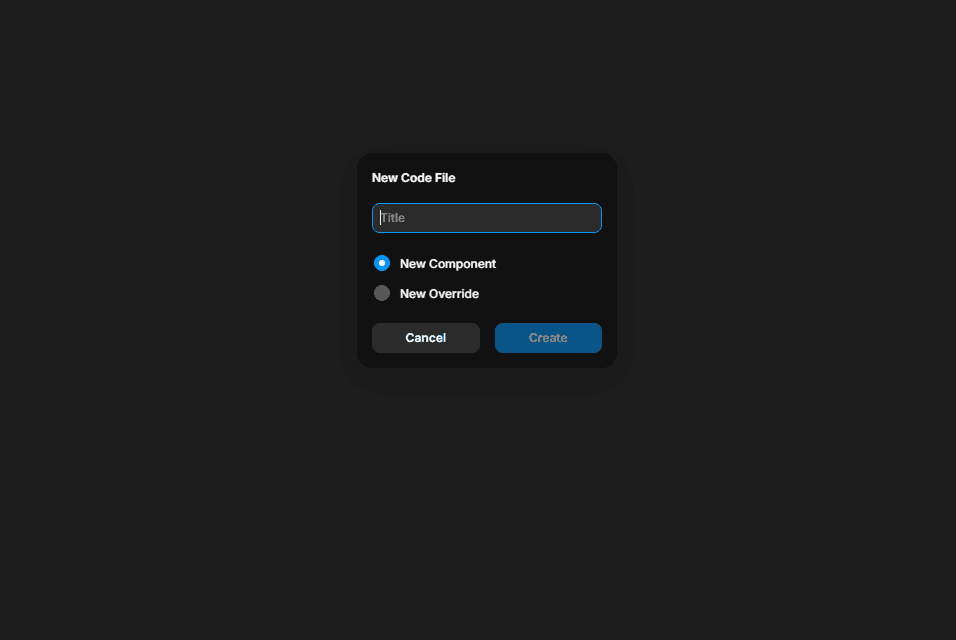
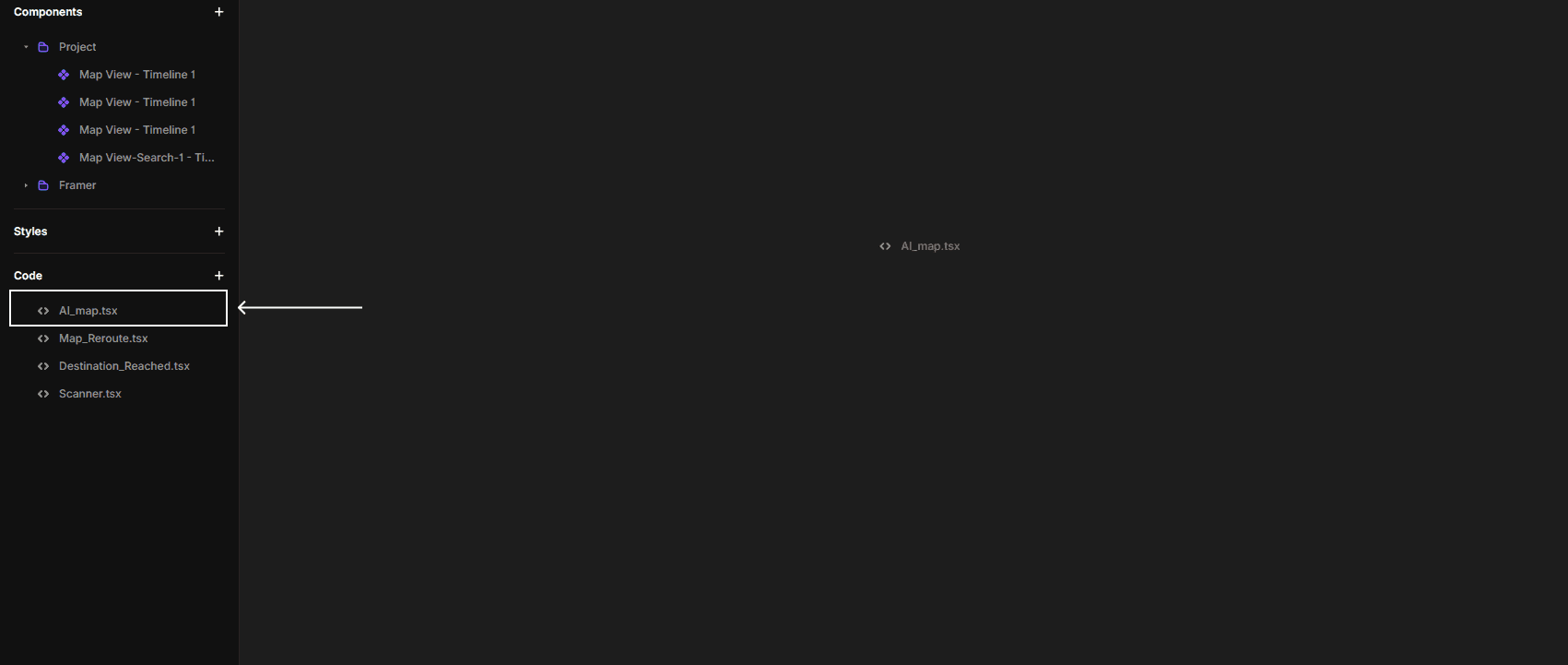
Then, paste the Rive embed code, but before pasting your code delete the default code.

Go back to the canvas.
Drag the newly created Rive component from the Assets panel into your layout.
Resize or position it as needed.
Satellite Link
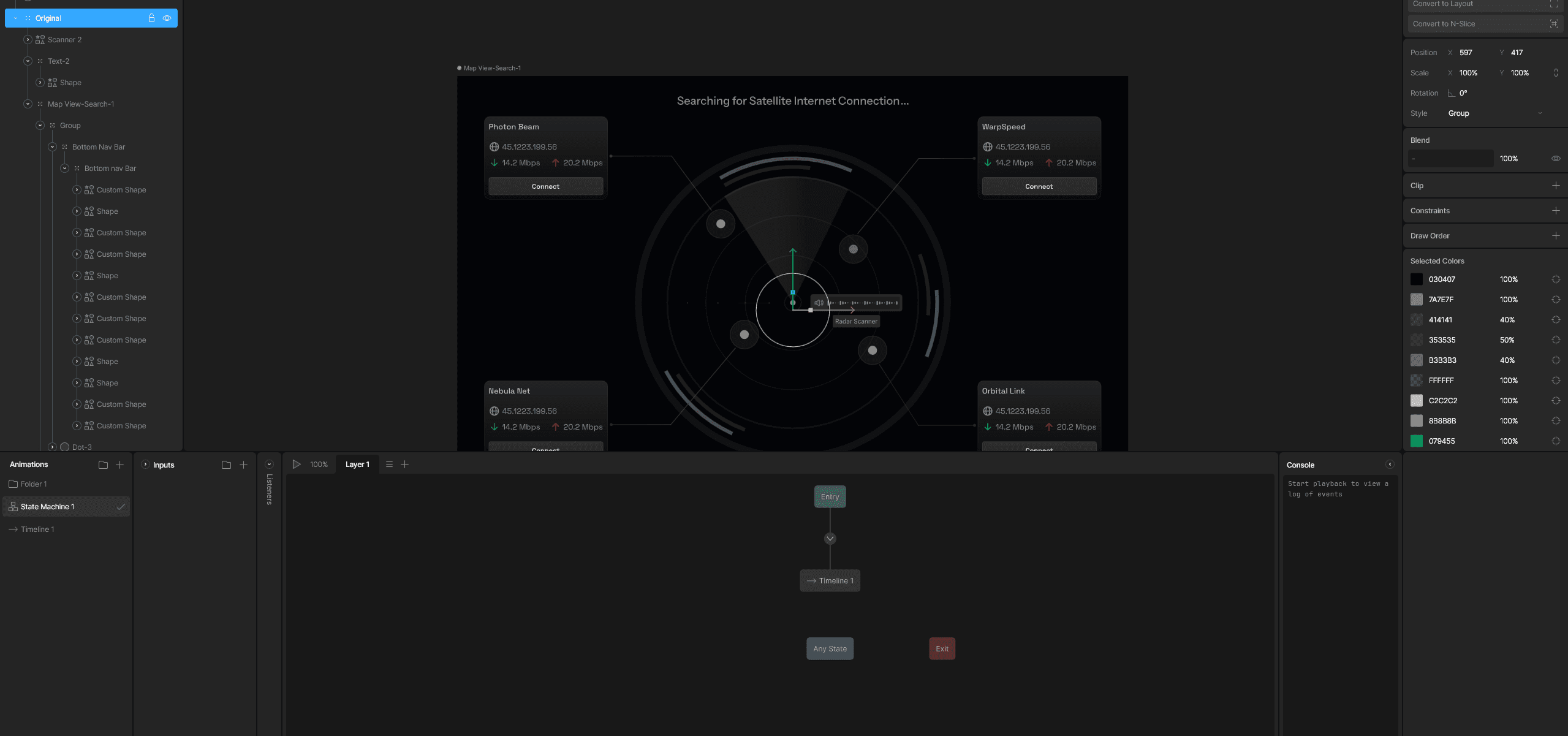
Provides reliable internet access even in remote or no-network zones
Supports real-time navigation, voice assistance, and cloud syncing
Enables emergency support when cellular service is unavailable
Powers uninterrupted A.I. communication and live traffic updates
Allows over-the-air system updates for continuous improvements
Ensures a consistently connected and dependable driving experience
Rive Animation-4

Steps I Fowolled to design this animation
I repeated the same steps that I followed while creating the previous animation (AI-powered Navigation and Voice Control).
Tire Pressure Monitoring
Continuously tracks tire pressure in real-time using built-in sensors
Alerts the driver visually when pressure drops below safe levels
Notifications are subtle and non-intrusive to avoid distractions
Helps prevent tire-related breakdowns and enhances safety
Designed to inform early without causing panic or overwhelming the driver
rive Animation-5
spline Animation
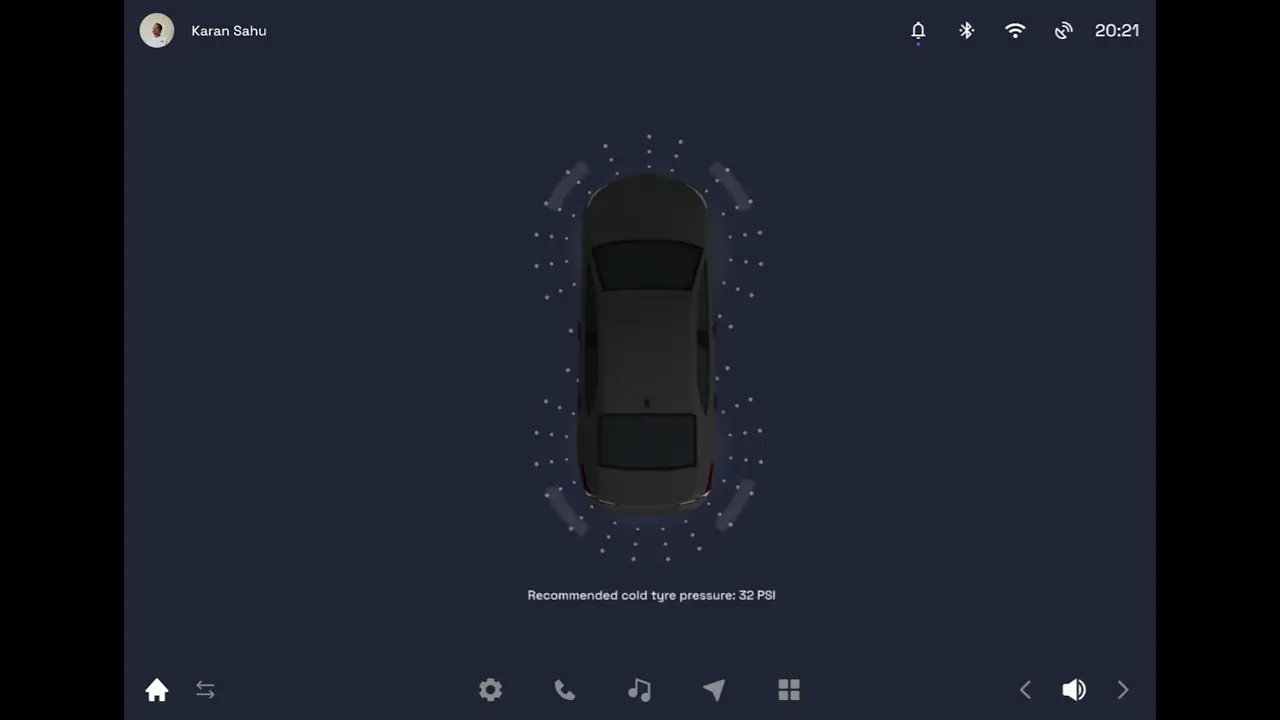
Steps I Fowolled to design this animation
Downloaded a 3D car model from Sketchfab in
.objformat and imported it into Spline.
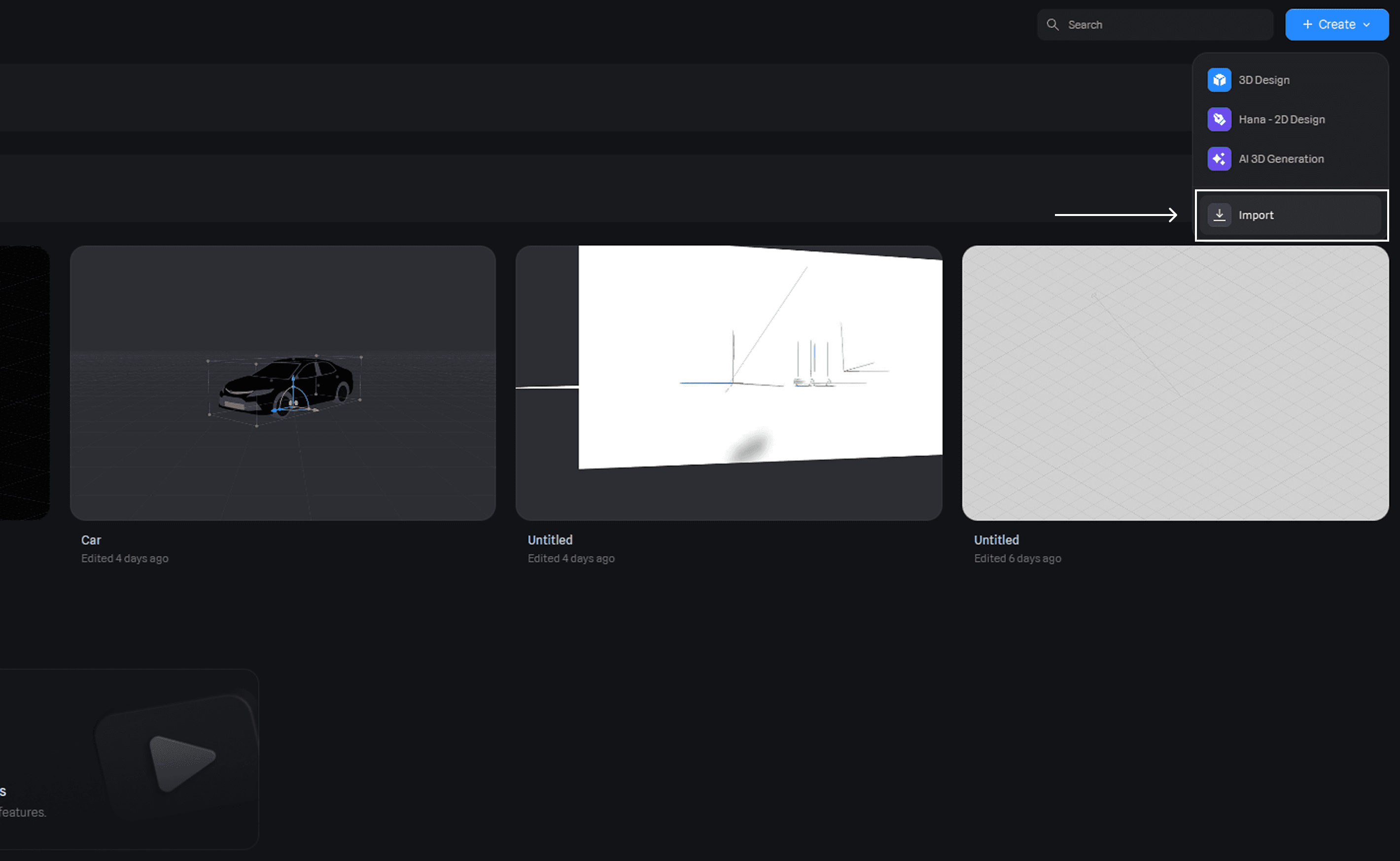

Designed the 3D animation after importing the model.

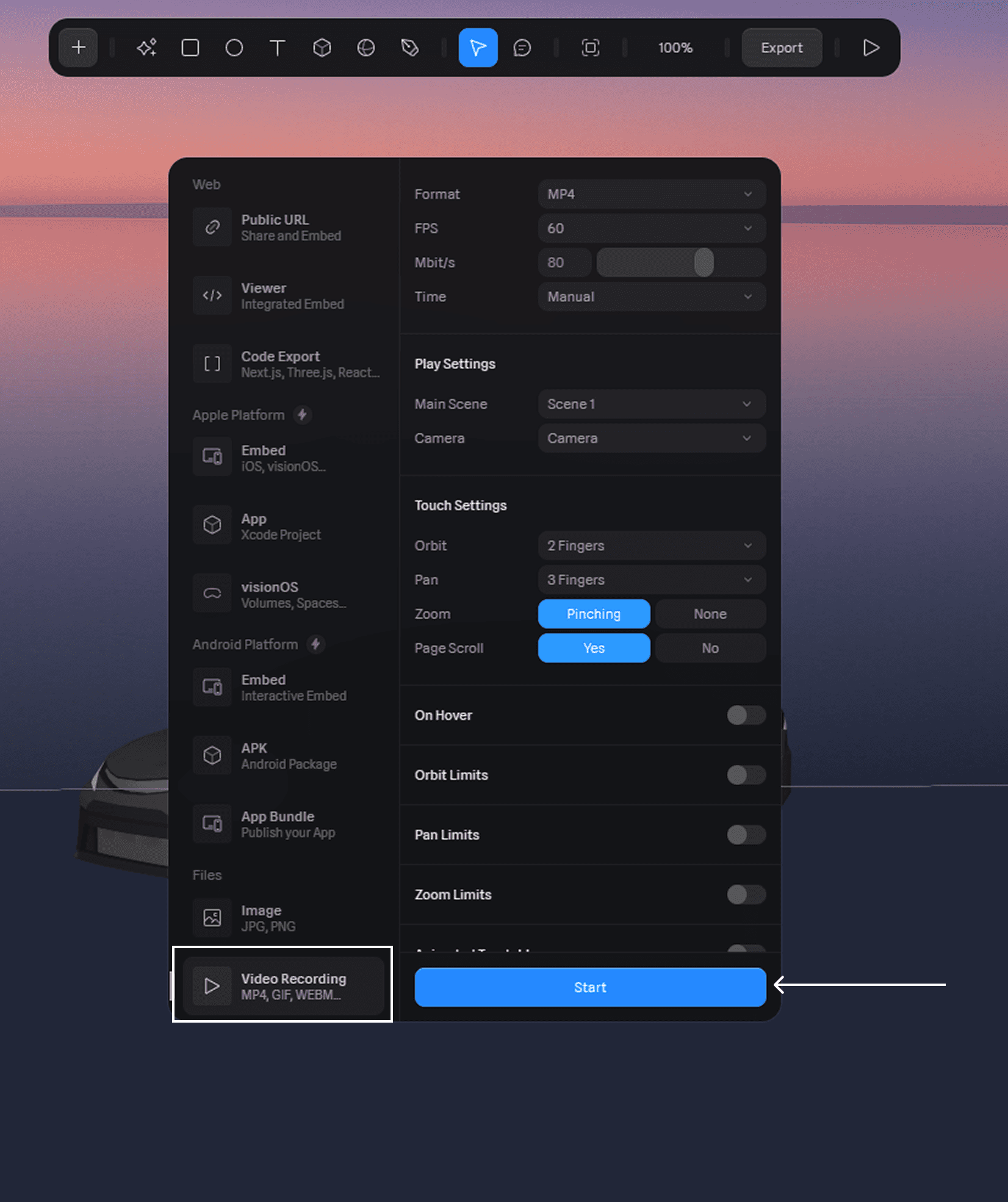
Recorded the animation as an
.mp4video and embedded it into Figma.
Created the tire animation separately in Rive.
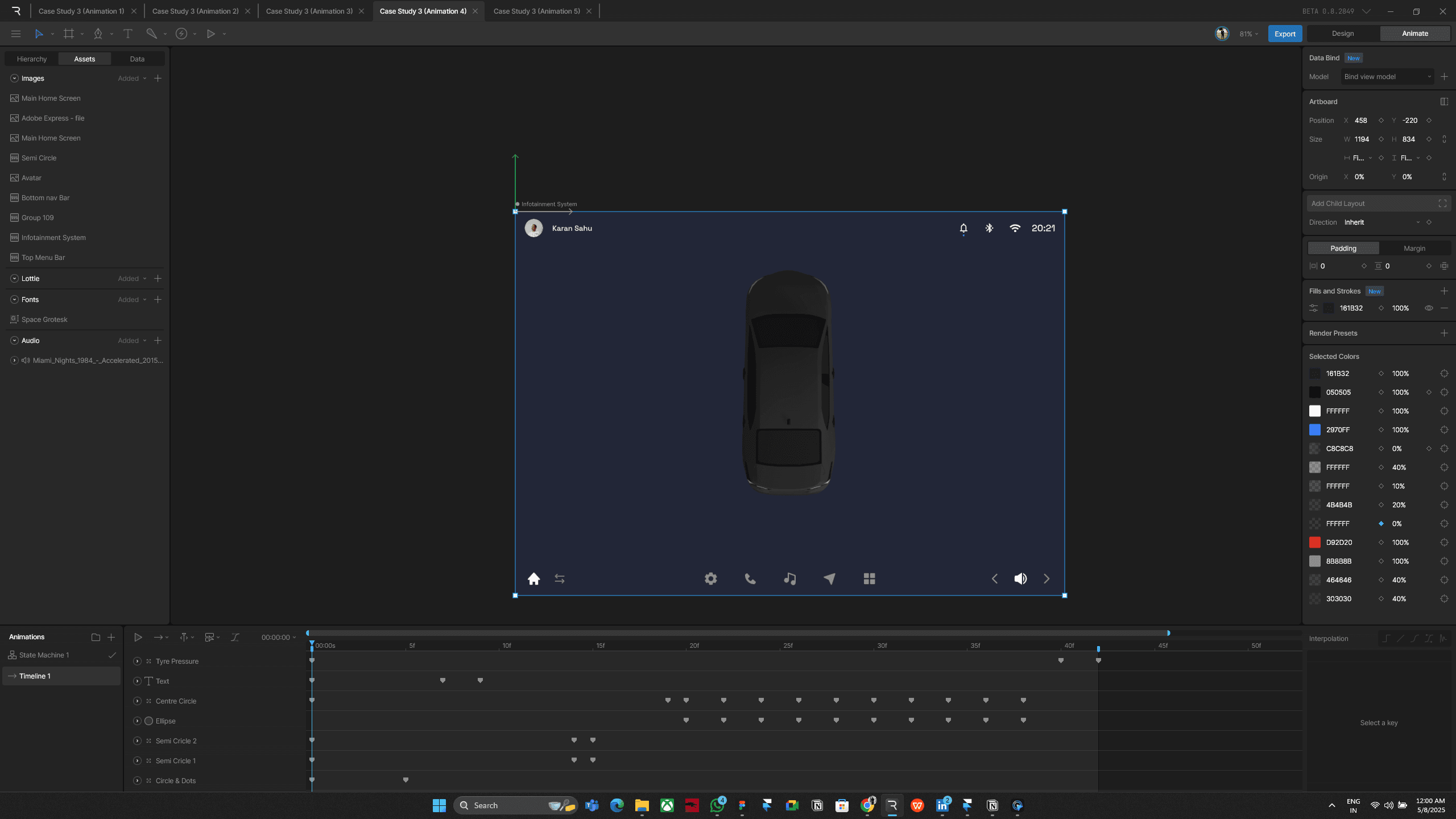
Followed the same embedding and presentation workflow as used in Animations 1 and 2.
learnings
In my third case study, I explored 3D and motion design using Spline and Rive, which helped me understand how purposeful animations enhance user experience. It taught me to think in flows, not just screens, and balance visuals with function. Next, I’m excited to apply these learnings to instrument cluster design—blending motion UI with my automotive background.
